

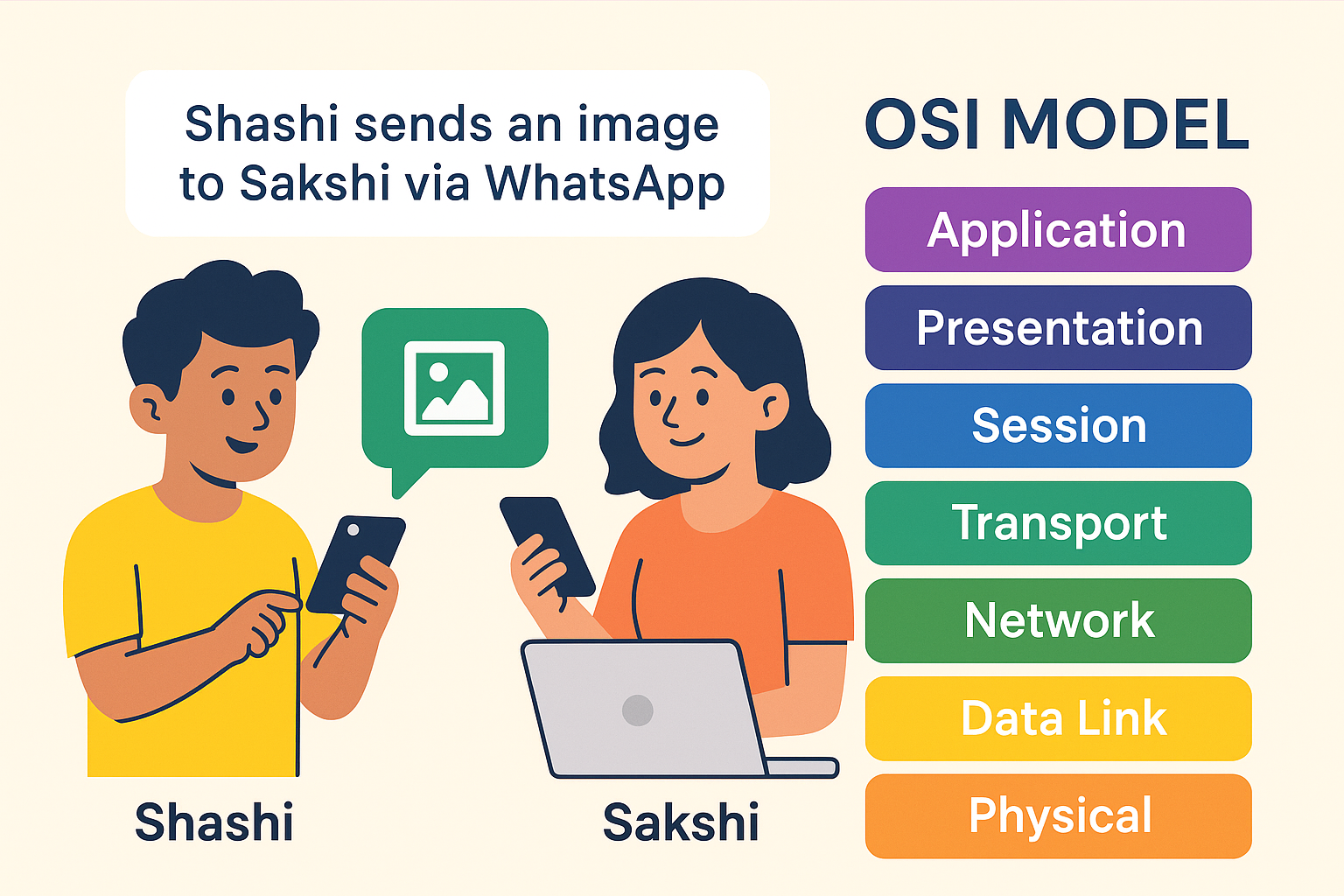
OSI Model hai kya?
Open Systems Interconnection.
Ye ek 7-layer conceptual framework hai jo batata hai ki computer networks me data kaise ek device se dusre device tak jaata hai.
Socho aap kisi dost ko WhatsApp pe ek image bhej rahe ho.
Ye kaam aise hi nahi hota, har ek chhoti chhoti layer milke is process ko complete karti hai.
Chalo ab layer-by-layer samajhte hain ki WhatsApp pe image bhejne ke peeche kya hota hai.
Real Example:
Shashi ne apne sakchi ko WhatsApp pe ek image bheji.
Let’s go through all 7 layers
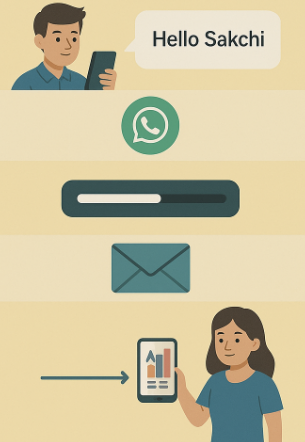
Layer 7: Application Layer – “User ki duniya”
Yahi woh layer hai jahan user directly interact karta hai.
Shashi ne WhatsApp open kiya, gallery se image select ki aur “Send” button dabaya.
🔹 Application Layer ka kaam:
- WhatsApp, Instagram, Gmail — sab isi layer pe kaam karte hain.
- Ye layer user ke actions ko initiate karti hai.
🔸 WhatsApp ne kya kiya?
- Us image ko lena start kiya, aur uske sath text, emojis, status info add kiya.
Layer 6: Presentation Layer – “Data ki dressing room”
Is layer ka kaam hai data ko readable banana, jaise:
- Encryption / Decryption
- Compression / Decompression
🔹 WhatsApp kya karta hai is layer par?
- Image ko compress karta hai (taaki jaldi bheji ja sake).
- Image ko end-to-end encrypt karta hai — taaki koi hacker beech me na dekh sake.
➡️ Ye woh layer hai jo “raw data” ko format karti hai according to receiver’s understanding.
Layer 5: Session Layer – “Meeting ka time decide karne wali layer”
Iska kaam hai session banana, manage karna aur close karna.
Shashi aur sakchi ke beech ek secure connection establish hota hai.
🔹 WhatsApp kya karta hai is layer par?
- Ek temporary session create karta hai sakchi ke device ke sath.
- Jab tak image bhejna complete nahi hota, ye session zinda rehta hai.
➡️ Socho ki jaise ek Zoom meeting shuru hoti hai aur khatam hoti hai — waise hi.
Layer 4: Transport Layer – “Courier wale bhaiya”
Is layer ka kaam hai:
- Data ko chhote chhote parts (segments) me todna.
- Reliable delivery ensure karna (TCP ka use karke).
- Error detection & correction.
🔹 WhatsApp kya karta hai?
- Image ko segments me divide karta hai.
- Har segment ke sath ek sequence number attach karta hai — taaki jab sakchi ke phone me image aaye to correct order me assemble ho.
- Agar koi segment miss ho jaye, to wapas bhejta hai (thanks to TCP).
Layer 3: Network Layer – “Route decide karne wali layer”
Ye layer decide karti hai ki data kaunse rasta follow karega — source se destination tak.
🔹 WhatsApp kya karta hai?
- Shashi ke phone ka IP address aur sakchi ke phone ka IP address use karta hai.
- Internet pe best path dhundhta hai taaki image jaldi aur safely pahuche.
➡️ Jaise Google Maps shortest route dikhata hai, waise hi Network Layer best path choose karti hai.
Layer 2: Data Link Layer – “MAC address wali layer”
Ye layer physical machine-level par kaam karti hai, local area network (LAN) ke andar.
🔹 WhatsApp kya karta hai?
- Har ek packet ke sath MAC address (hardware ID) add karta hai.
- Ye ensure karta hai ki local network pe data sahi device tak pahuche.
➡️ Socho ki courier delivery agent building me ghus gaya — ab flat no. ka kaam MAC address karta hai.
Layer 1: Physical Layer – “Real wires, signals, aur airwaves”
Ye layer actual hardware pe kaam karti hai:
- Cables, WiFi signals, voltages, radio waves, etc.
🔹 WhatsApp kya karta hai?
- Image ke data ko electrical signals ya radio waves me convert karta hai.
- Aur phir wo signals mobile tower → internet backbone → sakchi ke mobile tak jaate hain.
➡️ Jaise hawa me FM radio signal ghoomte hain, waise hi ye image ke bits bhi air me travel karte hain.
And then the reverse process
sakchi ka phone sab layers ke reverse order me data ko process karta hai:
- Physical → Data Link → Network → Transport → Session → Presentation → Application
Aur finally, sakchi ke WhatsApp pe image show hoti hai — bilkul wahi jo Shashi ne bheji thi
Flow Chart Summary
| Layer | Name | Role | WhatsApp Example |
|---|---|---|---|
| 7 | Application | User se interaction | WhatsApp open, image select |
| 6 | Presentation | Format, Encrypt | Image compress + Encrypt |
| 5 | Session | Session control | WhatsApp session establish |
| 4 | Transport | Reliable delivery | Segments + TCP |
| 3 | Network | IP routing | IP Address use |
| 2 | Data Link | MAC addressing | Local delivery |
| 1 | Physical | Actual data send | WiFi signals transfer |
OSI Model sirf theory nahi hai, har baar jab tum WhatsApp pe message bhejte ho, ye 7 layers silently kaam karti hain.
Ye ek invisible teamwork hai — jise samajhna technical students ke liye zaroori bhi hai aur interesting bhi




2 thoughts on “OSI Model Full Detailed Explanation”